Ngày đăng: 22/04/2019
Create your own product catalog
Check out the following points to create a catalog with full of information and attract potential customers.
1. Collect content

Make sure you have all the components in place before starting any design step. The content you will need before creating the catalog includes pictures of the product, a list of products and product features, and a list of other content to be written, such as company information, testimonials of customer and any other content will help your customers make the right decision.
2. Produce appealling visual product images
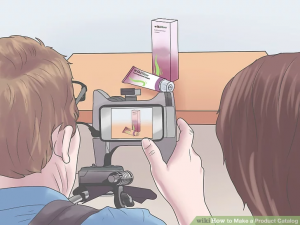
You can take pictures yourself to save money, but unless you’re a professional photographer yourself, it’s best to hire a photographer. Your product image is one of the most important aspects of your portfolio because this is what customers will see first. A compelling picture will encourage customers to read the description and are more likely to make a purchase decision.
If you have the skills to take photos and feel comfortable taking selfies and own digital cameras, put the camera at the highest resolution and take the product images: use individually, no collage images of products on a light background, add shadows to create products that jump out of the page and upload them with no less than 300 dpi.
3. Understand product features

Before you write the content about each product, you will need to know all the specifications of each product. You can also list the number of items and prices, including the original price and the discounted price. While you may want to tell customers everything you need to know about each product, you should only provide them with information that will help them make purchasing decisions. You can direct them to your website if they want more information about the product.
4. Use appropriate size for the catalog

You should choose a convenient size for the catalog when printing. Depending on where it will be used, whether on an airplane or on a lounge table, you will need to consider the most convenient size for your product so that your customers will not be overwhelmed by a too big catalog or frustrating because the catalog is too small to give them a clear picture and information about the products they are considering.
5. Decide appropriate number of pages
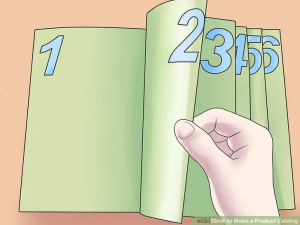
Your catalog needs to be long enough to give your customers all the information they need, but short enough to hold their interest and not make them boring in additional details. Don’t forget the table of contents, any products that may be listed in the catalog and additional information pages, such as company history.
Make sure your pagination is appropriate. You can make it easier for customers to find your company address and website number by placing them on each of the two spreadsheets of the catalog. Additionally, the phone number may be listed at the bottom right of each page and the website URL is at the bottom left or vice versa. You can also place one on the top or one on the bottom.
Make sure the total number of pages is even so that when printing a paper catalog or flipbook booklet can be bound.
6. Write product description.
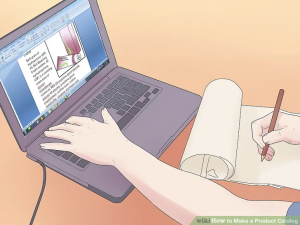
Keep each description short, between 50-150 words. You want to highlight the features of each product, but be sure to attach small benefits to each feature. And don’t forget about a core benefit. For example, the grip features of those golf gloves will help keep the club more stable, but more importantly, customers can play golf at a professional level when wearing these gloves (core benefit). Help customers choose the right items when you write about products, describe what they need to know about them, from price to weight or size.
7. Write additional content
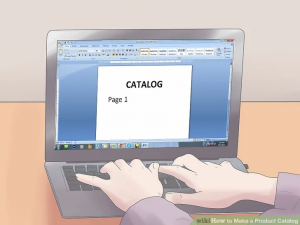
When you are writing content, you should use short, easy-to-read sentences and paragraphs to avoid excessive technical language. Each part of your catalog should have an overview page, an image that could be a user of one of the products in this section, along with a brief article about the benefits of the entire product. Your content may also include a brief history of the company to make your readers more comfortable with your products. You should also create an order form if you accept the order of the goods are faxed or mailed.
8. Organize content

You will need to plan what content will appear on each page. Be sure to put similar products together. In addition, you should also put the products together. For example, if you are selling high-end business shoes for men, you can put on the same page an accessory next to the heels, this accessory will help to pierce the shoes, keeping the shoes intact for a long time, because customers looking at beautiful shoes may also be looking for this. This is also a great way to show customers something they don’t even know they need.
To organize your content effectively, you not only need to have the product section, but the introduction at the front of the book should also include a return and warranty policy.
Make sure to use the right type and design so your customers don’t get distracted. Besides, you should have color coding for each part, that is, each part of your catalog will have a specific symbolic color, it can be a pair of colors on the top and bottom of the page or the edge of the page, this will make it convenient for customers to categorize.
9. Design an impressive cover.

The cover will be the first thing your prospect sees and it will make or break the success of your catalog. If your cover does not attract attention, the catalog may be thrown in the trash before customers even open it. Including featured items, any specials or discounts, and stunning images encourage consumers to browse the pages. If your category is seasonal, go with a theme that matches the time of year or an upcoming vacation.
10. Design a simple order form
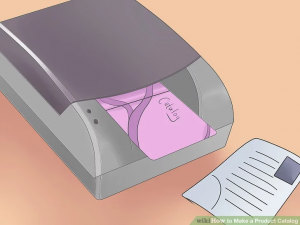
Although creating the order form can be a bit tedious, keep in mind that customers can give up on buying this unique lamp because the order interface is so confusing. So make sure the order form is just the minimum steps required to avoid losing potential customers.
So with just the 10 steps above you have created a professional catalog, remember to consider each step to have a perfect catalog!
